Use Lens to connect Kubernetes through SSH Tunnel
Lens is a light weight client to manage remote Kubernetes cluster. It has Windows and Mac version to provide rich cluster management features. Following steps introduced how to use Lens connect to remote Kubernetes cluster through SSH tunnel.
- Download and install Lens https://k8slens.dev/
- Copy Kubernetes config file from remote server’s ~/.kube/config to local machine’s ~/.kube/config
- Modify local ~.kube/config file, change blod lines to use local tunnel
- cluster:
  server: https://localhost:6443
  insecure-skip-tls-verify: true
name: kubernetes- Use SSH tunnel to mapping remote server’s 6443 port to local
- ssh user@rempte_server -p ssh_port -i id_rsa -L 6443:localhost:6443
- Launch Lens, connect to local cluster.
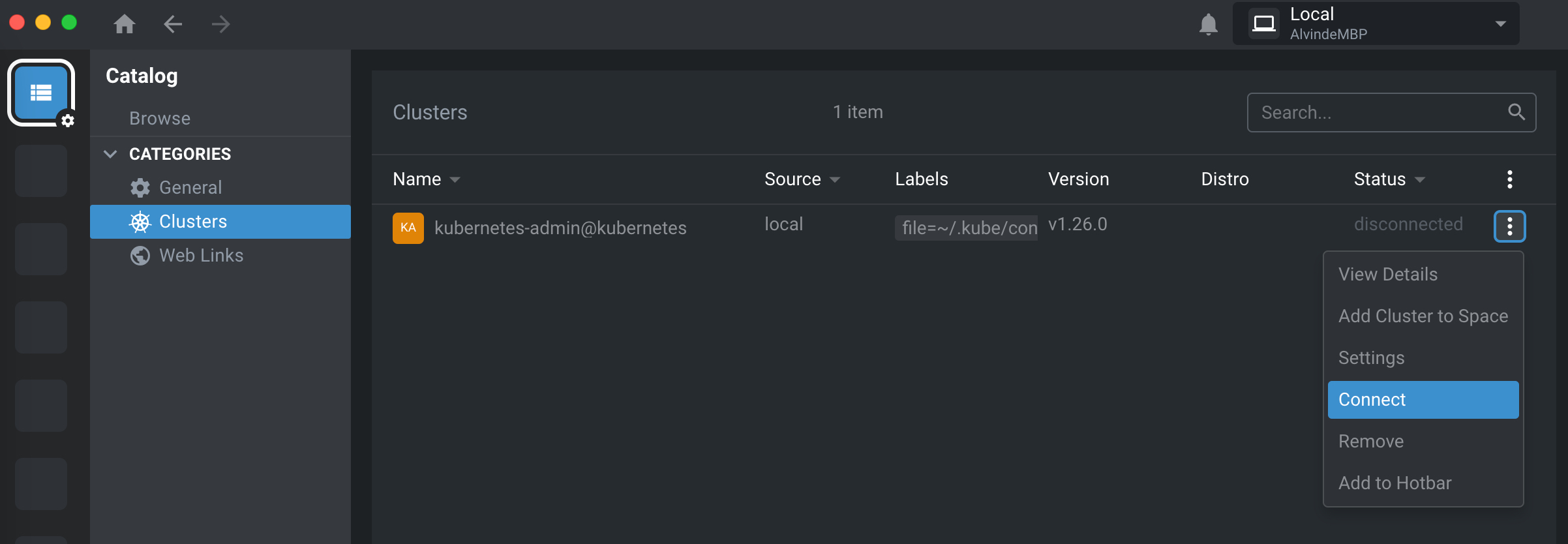
- Refer Lens document to manage the cluster https://docs.k8slens.dev/#lens-desktop

1 Comment
martine · 2023-11-19 at 09:42
Thanks , it worked!