Your Browser’s Crime Scense Cleanner
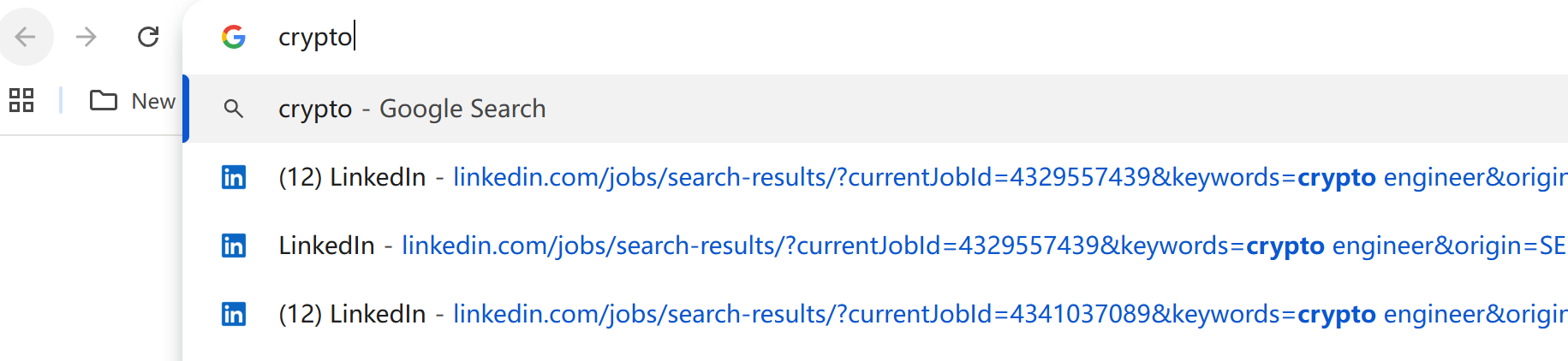
Have you ever experienced this awkward situation? You’re sharing your screen, and suddenly some irrelevant browsing history appears in Chrome’s autocomplete suggestions.
Chrome actively syncs browsing history across all your devices – even for sites you never visited on your work computer. There’s no time to explain, and honestly, you probably don’t want others seeing your private browsing activity at all.
That’s why you should try my new Chrome extension: History Cleaner Plus.
It automatically removes browsing history based on a customizable domain blacklist. All data stays on your local device – your privacy is fully protected.
https://chromewebstore.google.com/detail/history-cleaner-plus/pafmapgognedbeolliiamnbeiepmpjga
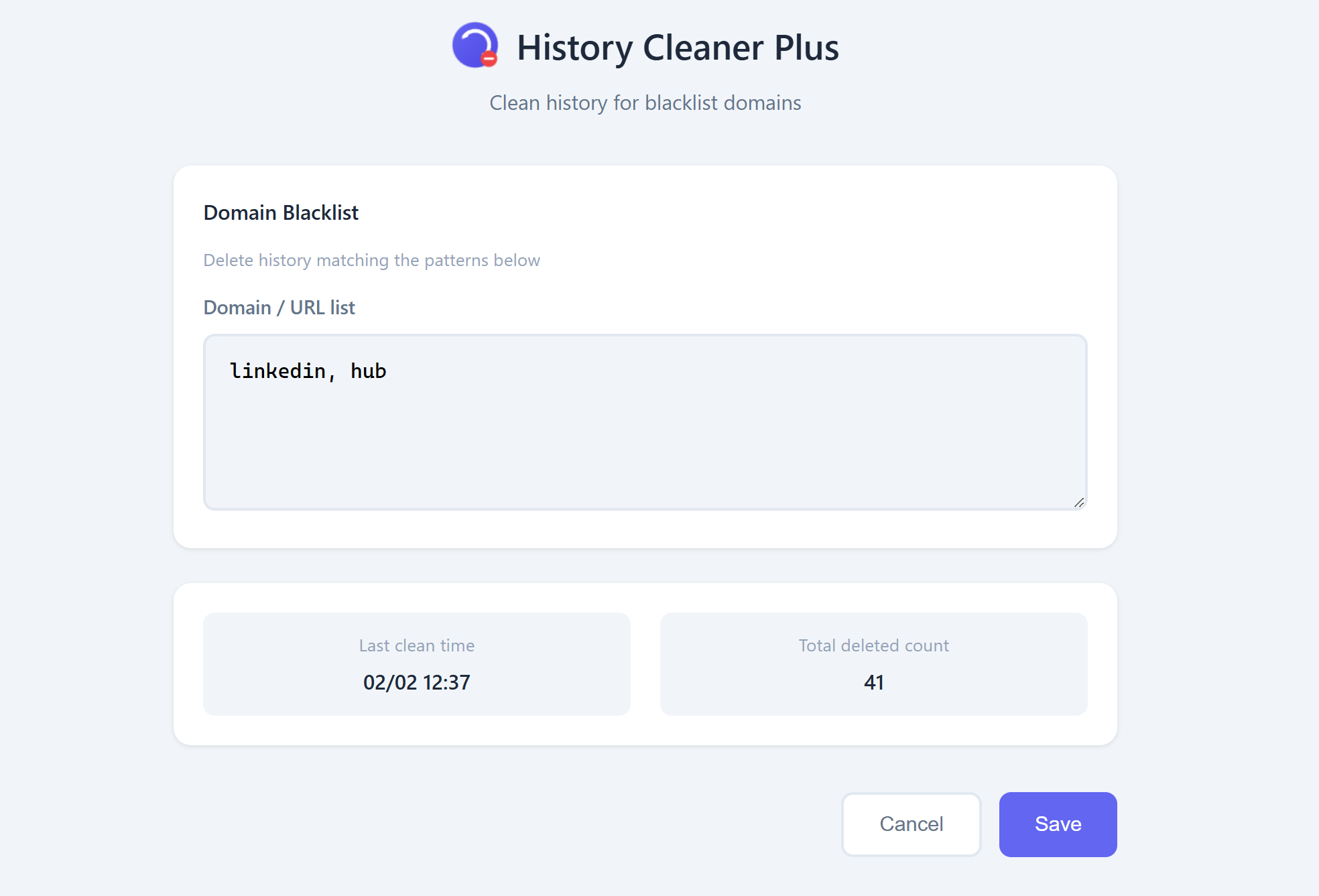
➤History Cleaner Plus — Automatically Clear Browsing History for Selected Sites
Some websites you visit don’t need to stay in your address bar suggestions or synced history forever. History Cleaner Plus helps you take control of your privacy by automatically removing browsing history for domains you choose through a blacklist.
➤ What problem does it solve?
Chrome syncs browsing history across devices and uses it to generate address bar suggestions. This means sites you visited on a personal device may show up later on a work computer, during screen sharing, presentations, or when someone temporarily uses your account — potentially causing awkward or unwanted exposure.
➤ How does it work?
● Add domains you don’t want to keep to the blacklist
● The extension automatically deletes browsing history related to those sites
● After cleanup, those visits will no longer appear in address bar suggestions
➤ Privacy & Data
● All settings and data remain in your local browser only
● No data is uploaded, collected, or shared
● The extension has a single, transparent function: removing history for domains you specify
➤ Who is this for?
Ideal for users who care about privacy boundaries, use Chrome across multiple devices, or often work in visible environments such as offices, meetings, or shared computers.
Keep your browsing history under your control — not as an accidental source of exposure.


0 Comments