How to add MCP to Claude Code for VS Code
Claude Code and Claude Code IDE (VS Code) not share the same configuration. Especially if you configure the VS code version to use customized LLM API. This guide tell you how to configure local MCP service for the Claude Code Visual Studio Code version.
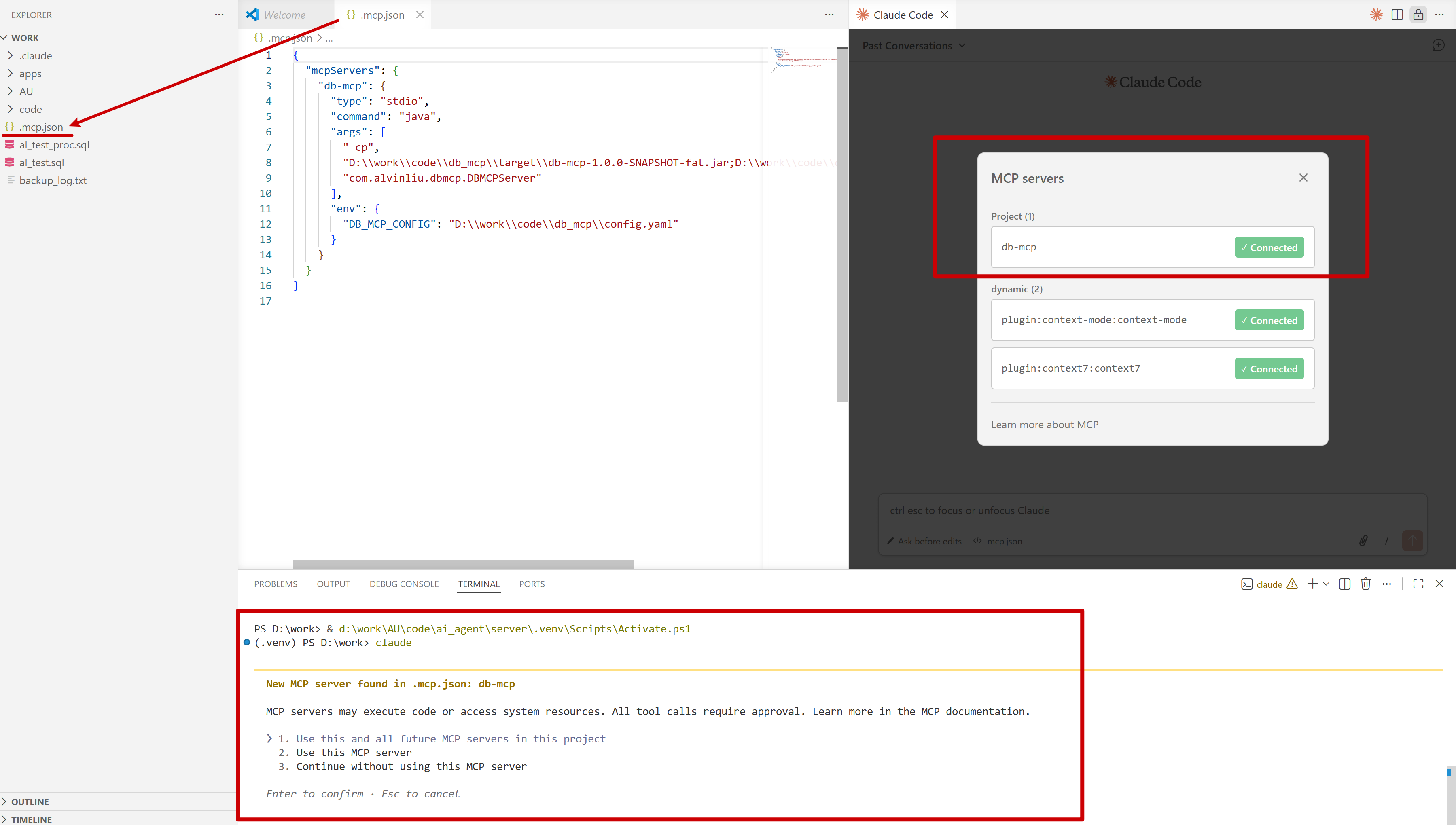
- Create a .mcp.json file in your project folder.
- Configure MCP service as shown in the below picture.
- Restart your VS Code
- Open Claude Code Plugin and type /mcp
- You will see the MCP server was loaded.
If you launch Claude cli by terminal, it will also prompt to use the .mcp.json file.


0 Comments